

What is an n8n AI agent?
An n8n AI agent is a language model given a goal, a memory, and a set of tools it can choose to use, wired together in a workflow so it can take real actions instead of just answering questions. The difference from a plain AI step matters. A simple AI step makes one model call: text in, text out. An agent runs in a loop: it reads the goal, decides which tool to call, acts, sees the result, and repeats until the job is done. That shift from "talks" to "does" is the whole point of building agents in n8n.
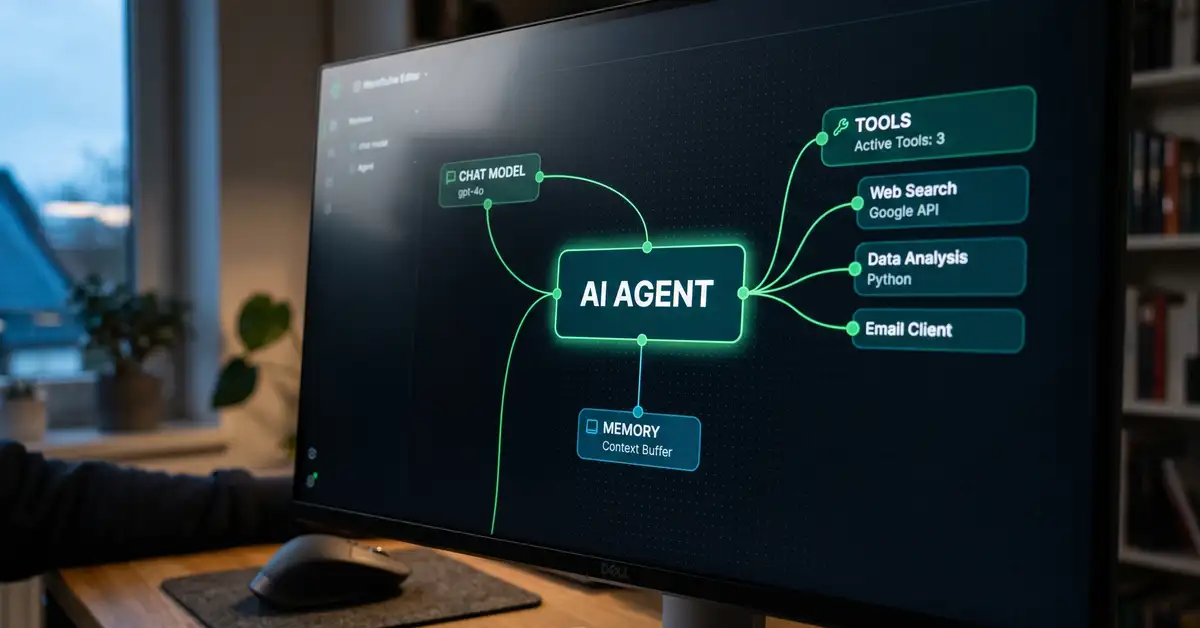
n8n implements this with a dedicated AI Agent node built on the LangChain framework (n8n Docs, 2026). You drop the node onto your canvas, attach a chat model, optionally a memory, and as many tools as you need, then point a trigger at it. Because n8n exposes its 400-plus app integrations as tools, the agent can read a CRM, send a Slack message, query a database, or call any API, all from one place. If you are new to the platform, start with our guide to what n8n is.
What you'll learn in this guide:
- The four parts every n8n AI agent is built from
- What you can actually build, with concrete examples
- How RAG grounds an agent in your own company data
- Single agent versus multi-agent systems
- What it costs, and the safety rules that matter when an agent can act
Key Takeaway
An AI step answers. An AI agent acts. n8n turns a language model into an agent by giving it tools and a goal, which is why a single workflow can now read a lead, decide what to do, and update your systems without a human in the loop.

The four parts of an n8n AI agent
Every agent is the AI Agent node plus up to four things you attach to it. Understanding these is most of the battle, because once you can name them, the canvas stops looking intimidating.
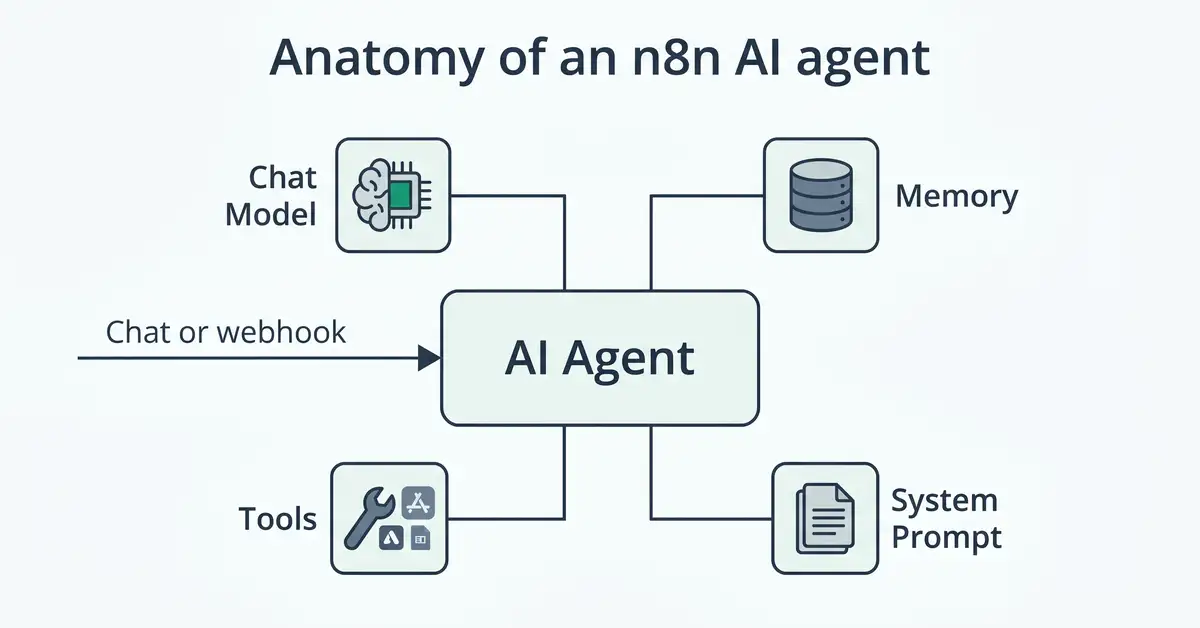
The chat model is the brain. You choose it: OpenAI, Anthropic's Claude, Google Gemini, or a local model through Ollama if you want everything to stay on your own hardware (n8n Integrations, 2026). The memory gives the agent continuity across a conversation, using a simple window buffer or a database like Postgres or Redis for longer-lived sessions (n8n Docs, 2026). The tools are what the agent can do: an HTTP Request tool to hit any API, a sub-workflow tool to run another workflow, a vector store tool to look things up, or any of the 400-plus app integrations. The system prompt sets the agent's role and rules. A trigger, usually a chat box, webhook, form, or schedule, starts the whole thing.
Key Takeaway
Model, memory, tools, prompt. Pick a model, decide whether the agent needs to remember, give it the tools to act, and tell it who it is. Master those four and you can build almost any agent n8n is capable of.
What you can actually build with n8n AI agents
These are real, popular agent patterns from the n8n library, with the apps involved and the outcome they deliver. Each maps to a live template you can import and adapt rather than build from scratch.
| Agent | What it does | Connects |
| Customer support agent | Answers customer questions from your knowledge base, opens a ticket when it cannot | Slack, Linear, vector store |
| Lead qualification agent | Reads an inbound lead, researches and scores it, updates the CRM | CRM, enrichment, LLM |
| Knowledge base agent (RAG) | Answers questions grounded in your own documents instead of guessing | Vector store, LLM |
| Email draft agent | Drafts context-aware replies for a human to review and send | Email, LLM |
| Data analyst agent | Turns a plain-English question into a database query and a chart | SQL database, charts |
| Internal helpdesk agent | Handles IT and ops requests, looks up answers, files tickets | Jira, Slack, docs |
Sources: n8n support agent template, n8n lead qualification template, n8n SQL agent template.
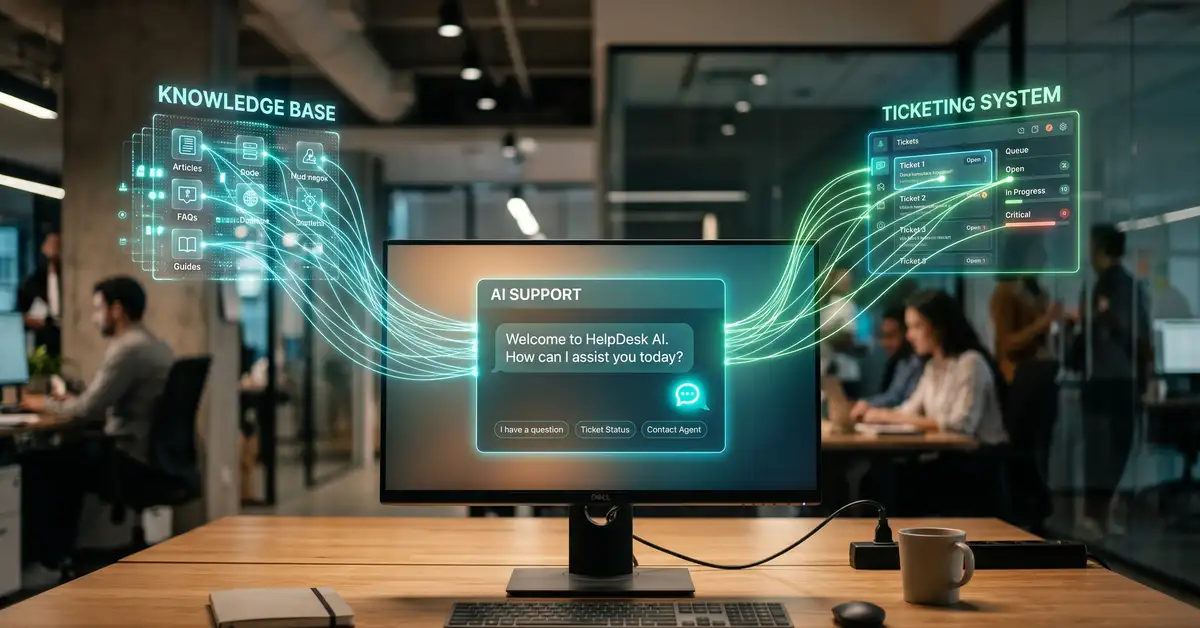
The pattern is always the same: a trigger hands the agent a goal, the agent reasons about which tools to use, and it acts across your real systems. The support agent is the one most businesses build first, because it attacks a high-volume, repetitive cost centre and pays back fast. For the broader picture of how individual agents become a coordinated operation, see our piece on workflow orchestration. And if you want ready-made starting points, our roundup of n8n templates includes many of these agents.
RAG: grounding an agent in your company data
Retrieval augmented generation, or RAG, is how you stop an agent inventing answers and make it cite your actual documents. The mechanism is straightforward once you see it. You embed your content, the help docs, policies, product data, into a vector store. When a user asks something, the agent retrieves the most relevant chunks as a tool and uses them to answer (n8n Docs, 2026). The model is no longer guessing from training data, it is answering from your knowledge.
n8n supports the main vector stores, including Pinecone, Qdrant, Supabase, and a simple in-memory option for testing (n8n Integrations, 2026). For most businesses, RAG is the feature that makes agents trustworthy enough to deploy, because a support or knowledge agent that answers from your real content is far safer than one improvising.

Want to know what a production agent actually costs to build and run?
Read the cost breakdownSingle agent or multi-agent?
Most jobs need one agent. Some need a team. A single agent with a good set of tools handles the large majority of business use cases, and it is where you should start. Multi-agent systems become useful when a task splits into genuinely distinct specialisms, for example one agent that researches, another that writes, and an orchestrator that coordinates them. In n8n you build this by having a main agent call other workflows through sub-workflow tools, so each sub-agent is its own focused workflow (n8n Docs, 2026).
The honest guidance is to resist multi-agent complexity until a single agent visibly cannot cope. More agents means more points of failure and more cost. Add a second agent when the work, not the novelty, demands it.
Watch Out
An AI agent takes real actions in your systems, which means a bad decision has real consequences. Before you let one run unattended: add human-in-the-loop approval steps for anything irreversible (n8n Docs), give each tool the narrowest permissions it needs, and test thoroughly against real inputs first. Treat an agent like a new hire with system access, not a toy.
What n8n AI agents cost
You pay for the language model on top of running n8n, and the model you choose is the biggest cost lever. Running n8n is a subscription or your own hosting. The agent's thinking is metered by LLM tokens, billed by whichever model you attach. As of mid-2026, cost-efficient options like Anthropic's Claude Haiku sit around a dollar per million input tokens, mid-tier models like Claude Sonnet and GPT cost more, and flagship models more again (Anthropic, 2026). A local model through Ollama removes the token bill entirely, trading it for your own compute.
The practical cost discipline is to route simple steps to a cheap model and reserve an expensive one for the hard reasoning. Self-hosting n8n also keeps your data on your own infrastructure, which matters for agents handling sensitive information. For full build-and-run numbers, our cost to build an AI agent guide breaks it down, and our n8n pricing explainer covers the platform side.
Can a non-developer build an n8n AI agent?
Yes, and the fastest path is to start from a template, not a blank canvas. Building an agent is harder than a simple automation, because you are reasoning about tools and prompts, but it is well within reach for a semi-technical person who is willing to learn over a few sessions.

Import the build-your-first-agent template
n8n ships a starter agent workflow. Importing a working example teaches the four parts far faster than reading about them.
Connect a model and run it
Add your own model credentials, send the agent a message, and watch which tools it calls. Seeing the loop run is the moment it clicks.
Swap in one real tool
Replace a demo tool with one of your actual apps. Now the agent does something useful for you, and you have learned how tools attach.
Add a guardrail before going live
Put a human approval step in front of any action that matters, then let it run. Ship safe, then widen its autonomy as you trust it.
If you would rather describe the agent in plain English, n8n's AI Workflow Builder can generate a starter agent from a text prompt, which you then refine. Either way, templates collapse the learning curve, which is why our n8n templates guide is the natural next step. If you are still choosing a platform, compare the field in best n8n alternatives.
Why n8n became a leading platform for AI agents
Three things put n8n at the front of the agent wave through 2025 and 2026. It is fair-code and self-hostable, so businesses can run agents on their own infrastructure and keep sensitive data in-house. It exposes more than 400 integrations as tools the agent can call, so an agent is useful from day one rather than after months of plumbing. And it builds natively on LangChain, so the agent architecture is proven rather than bespoke. As agentic automation becomes the dominant shape of business AI, the platform that lets you build, own, and govern your agents has a structural advantage. That is the bet behind n8n's rise, and it is why agent templates now lead its library.
Key Takeaway
The reason to build agents in n8n is control. You choose the model, you own the data, you set the guardrails, and you keep the whole system on infrastructure you govern. For a B2B operation, that is the difference between adopting AI agents and depending on someone else's.
An agent automates a task. A system runs your business.
peppereffect architects autonomous, logic-gated AI agent systems on n8n and beyond, so your revenue decouples from headcount. We design the agents, install the guardrails, and hand you a machine that runs without you.
Book a Growth Mapping CallFrequently asked questions about n8n AI agents
What is an n8n AI agent? An n8n AI agent is a language model given a goal, a memory, and a set of tools it can choose to call, wired together in a workflow so it can take real actions instead of just answering. Unlike a single AI step, an agent runs in a loop: it decides which tool to use, acts, reads the result, and repeats until the task is done. n8n builds this with its AI Agent node on the LangChain framework.
What can you build with n8n AI agents? Common builds include customer support agents that answer from a knowledge base and open tickets, lead qualification agents that score and update the CRM, knowledge base agents using RAG, email draft agents, data analyst agents that query a database, and internal IT or ops helpdesk agents. Most map to existing n8n templates you can import and adapt rather than build from scratch.
What is RAG in n8n? RAG, or retrieval augmented generation, grounds an agent in your own documents instead of letting it guess from training data. You embed your content into a vector store such as Pinecone, Qdrant, or Supabase, and the agent retrieves the most relevant pieces as a tool when answering. It is the feature that makes support and knowledge agents trustworthy enough to deploy.
How much do n8n AI agents cost? You pay for the language model's tokens on top of running n8n. Model choice is the main cost lever: efficient models like Claude Haiku cost around a dollar per million input tokens, while flagship models cost several times more. A local model through Ollama removes the token cost in exchange for your own compute. Routing simple steps to cheaper models keeps costs down.
Can a non-developer build an n8n AI agent? Yes. It is harder than a basic automation, but a semi-technical person can build a working agent by starting from n8n's build-your-first-agent template, connecting a model, swapping in one real tool, and adding a guardrail before going live. The AI Workflow Builder can also generate a starter agent from a plain-English description.
Are n8n AI agents safe to run unattended? Only after you add guardrails, because an agent takes real actions with real consequences. Use human-in-the-loop approval steps for anything irreversible, give each tool the narrowest permissions it needs, and test thoroughly against real inputs before activating. Treat an agent like a new hire with system access rather than a toy. no-code AI agents how agentic AI differs from traditional automation how to build an AI agent n8n review
Resources
- n8n Advanced AI Docs: the AI Agent node, models, memory, and tools.
- RAG in n8n: grounding agents in your own data.
- n8n Human-in-the-Loop Tools: approval steps and guardrails.
- Build Your First AI Agent: the starter template.
- n8n AI Workflow Category: the full library of agent templates.