

What are n8n templates?
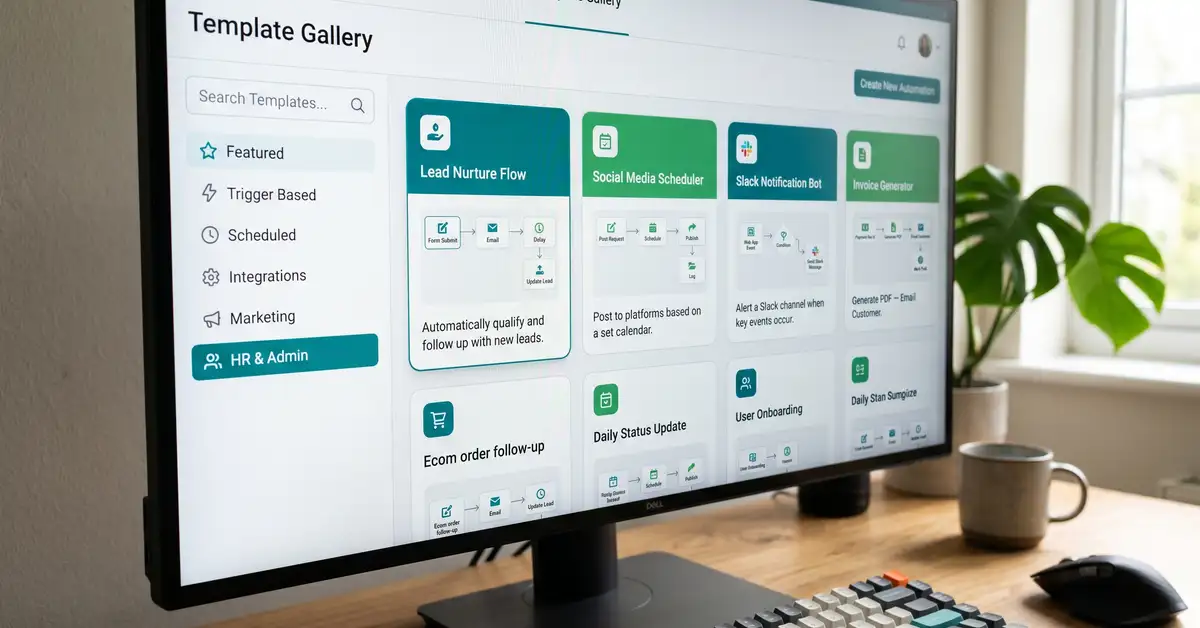
n8n templates are pre-built, ready-to-use workflows that you import and adapt instead of building automation from a blank canvas. Each template is a complete workflow: a trigger that starts it, then a chain of nodes that connect apps, move data, and run logic. You copy one in, swap your own accounts and credentials into the nodes, test it, and it runs. Templates turn n8n from "learn a tool, then build everything yourself" into "find something close to what you need, then change the parts that matter."
The scale of what is available is the headline. The official n8n template library lists nearly 10,000 community workflows, all free to browse and use (n8n Workflows, 2026). On top of that, the community-run awesome-n8n-templates repository collects 280-plus more and has earned over 22,000 GitHub stars. If you are wondering whether someone has already built the automation you need, the answer is almost always yes. If you are new to the platform, our guide to what n8n is covers the fundamentals first.
What you'll learn in this guide:
- Where to find n8n templates, official and community
- How to import and use a template safely, step by step
- 20 high-value workflows you can steal, grouped by business function
- Why AI agent templates now dominate the library
- The security rule that matters before you run any community template
Key Takeaway
Templates are the single fastest way to get value from n8n. They collapse the learning curve, because reverse-engineering a working automation teaches you more in an hour than a blank canvas does in a week, and they give a non-developer a running start on workflows that would take days to build alone.

Where to find n8n templates
There are three reliable sources, in order of trust. First, the official library at n8n.io/workflows, searchable by keyword and filtered into categories like AI, Sales, Marketing, IT Ops, Document Ops, and Support. Second, the in-editor template browser, so you can pull a template straight onto your canvas without leaving n8n. Third, community collections on GitHub, the largest being awesome-n8n-templates, organised by integration (Gmail, Telegram, Slack, OpenAI, WhatsApp, Notion, and more).
Official-library templates are published through n8n and tend to be cleaner and better documented. Community templates from GitHub or forums are more varied: often brilliant, occasionally rough, and always worth a review before you trust them. We will come back to that security point, because it is the one thing most "20 templates" listicles skip.
How to use an n8n template (step by step)
Importing a template takes about a minute. Making it safe and yours takes a few more. The flow is the same whether the template comes from the official library or a JSON file someone shared.
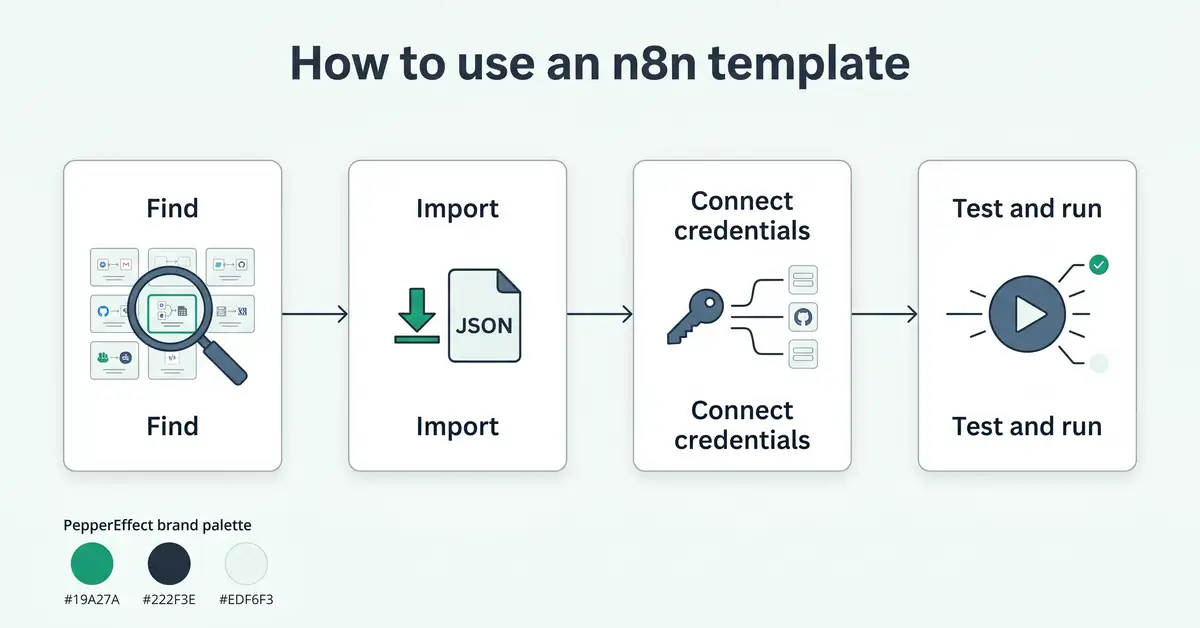
Find a template close to your goal
Search the library or a community collection for the outcome you want. Closer is better: you want to change parameters, not rebuild logic.
Import it
Use the "Use workflow" button in the library, or import the workflow JSON directly into your editor (n8n Docs). The whole node graph drops onto your canvas.
Connect your own credentials
Templates ship without working accounts. Click each app node and add your own credentials. Never run a template still wired to someone else's setup.
Test, then activate
Run it once manually and check every step's output before switching the trigger on. Fix one node at a time. Only then let it run on its own.
If you would rather describe what you want in plain English, n8n's AI Workflow Builder can generate a starter workflow from a text prompt, which you then refine the same way (n8n Docs).
20 n8n templates you can steal, by business function
These are real, popular workflow patterns from the n8n library and community, grouped by the job they do. Treat each as a starting point to adapt, not a finished product. Volumes and exact nodes will vary, but every pattern below maps to live templates.
Sales and lead generation
| Template | What it does | Connects |
| Lead capture, scoring and CRM | Captures a new lead, enriches and scores it, pushes to CRM, alerts the team | HubSpot, Clearbit, Slack |
| Form to CRM contact | Turns a form submission into a clean CRM record with no manual entry | Typeform, HubSpot |
| Lead enrichment | Adds company and role data to a bare email so reps know who they are talking to | Clearbit, Google Sheets |
| Two-app data sync | Keeps records in step between two systems so nothing falls out of date | Any two apps |
Sources: n8n lead capture template, n8n sync template.

Sales templates are where most businesses see their first real return, because they attack the manual copy-paste between forms, enrichment tools, and the CRM. If you are weighing n8n against other tools for this, our n8n vs Zapier comparison covers the trade-offs for sales automation specifically.
Marketing and content
| Template | What it does | Connects |
| Social content with approval | Drafts social posts with AI, routes them for human approval, then publishes | OpenAI, LinkedIn, Twitter |
| RSS feed to email | Turns any RSS feed into a formatted email digest on a schedule | RSS, email |
| Scrape and summarise pages | Pulls a web page and returns an AI summary for research or monitoring | HTTP, OpenAI |
| Newsletter automation | Collects content and assembles a recurring newsletter without manual copy work | Sheets, email |
Sources: n8n social content template, n8n scrape and summarise template.
AI agents and assistants
| Template | What it does | Connects |
| RAG chatbot over your docs | Answers questions grounded in your own documents instead of guessing | Vector store, LLM |
| Support chatbot | Handles common customer questions and escalates the rest to a human | Chat channel, LLM |
| Image data extraction | Reads structured data out of images or scans via an AI vision model | Gemini, Sheets |
| AI agent across apps | An agent that reasons and takes actions across your connected tools | LangChain Agent node |
Sources: n8n image extraction template, n8n AI RAG category.

Operations, finance and IT
| Template | What it does | Connects |
| Invoice and AP processing | Reads invoices with OCR and AI, extracts fields, files them automatically | OCR, AI, Airtable |
| PR code review | Runs an AI first-pass review on pull requests and logs the results | GitHub, GPT-4, Sheets |
| Slack and Telegram alerts | Sends a notification the moment a key event fires in another system | Slack, Telegram |
| Scheduled data backup | Exports and stores records on a schedule so nothing is lost | Database, storage |
Sources: n8n invoice processing template, n8n PR review template.
Beginner and learning
| Template | What it does | Connects |
| Send an email | The simplest useful workflow, ideal as a first build | |
| Learn n8n basics in 3 steps | An interactive tutorial workflow that teaches the core concepts | n8n core nodes |
| Import and map credentials | Helps you bring in workflows and wire your own accounts cleanly | n8n core nodes |
| Daily summary to chat | Posts a scheduled digest so you see the pattern of trigger plus action | Schedule, chat |
Sources: n8n send email template, n8n learn basics template.
Not sure which workflows would actually move your numbers?
Read the B2B orchestration playbookWhy AI templates now dominate the library
AI is the largest and fastest-growing category in the n8n library, and it is why template traffic exploded through 2025 and 2026. The reason is simple: n8n's native LangChain integration and AI Agent nodes let a template do more than move data, it can reason and act. A RAG chatbot template grounds a model in your own documents. An AI agent template can read a lead, decide what to do, and update your systems. These are not toys, they are production patterns shipped as starting points (n8n AI category).
For a business, the practical effect is that the hardest automations to build from scratch, the AI ones, are now the best-served by templates. You inherit a working agent architecture and adapt it, rather than learning prompt orchestration from zero. If you are costing out a custom build instead, our breakdown of the cost to build an AI agent sets realistic expectations.
Key Takeaway
The templates that save the most time are the AI ones, precisely because they are the hardest to build alone. Starting from a proven AI agent or RAG template is the difference between shipping in an afternoon and engineering for a month.
The one rule before you run any community template
Treat every community template as untrusted code until you have read it. A template can contain Code nodes and HTTP Request nodes that execute whatever the author wrote. The vast majority are fine, but the cost of a bad one is real: leaked credentials or data sent somewhere you did not intend. The fix is a habit, not paranoia.
Watch Out
Before running any imported template: open every Code node and HTTP Request node and read what it does, confirm where data is being sent, and never paste your API keys or credentials into a workflow you have not inspected. Swap in your own credentials yourself, and test in isolation first. Official-library templates are safer, but the review habit applies to all of them (n8n Security).
Why templates are the fastest way to learn n8n

For a non-developer, templates are not a shortcut that skips learning, they are the learning. Reverse-engineering a working automation shows you how triggers, nodes, and data connections fit together in context, which is far more useful than staring at an empty canvas. n8n even ships interactive learning workflows for exactly this. Start by importing one template, change a single thing, and watch what happens. Do that a few times and you have built the mental model that lets you compose your own.
Templates also help you decide what to commit to. Importing two or three and running them tells you quickly which automations fit your data and which do not, before you invest in building anything custom. If a pattern proves its worth, that is the signal to harden it into a real system. If you are still choosing a platform, our guides to the best n8n alternatives and n8n vs Make.com cover the field. And if you want to see where templates sit in the bigger picture of moving from single tasks to full systems, our piece on task automation to orchestration maps the path.
Templates get you started. Systems get you free.
A template automates a task. peppereffect architects the autonomous, logic-gated systems that automate your whole operation, on n8n and beyond, so your revenue decouples from headcount. We design the workflows, install the AI agents, and hand you a machine that runs without you.
Book a Growth Mapping CallFrequently asked questions about n8n templates
What are n8n templates? n8n templates are pre-built, importable workflows that you copy and adapt instead of building automation from scratch. Each one includes a trigger and a chain of connected nodes. You import it, swap in your own credentials, test it, and run it. The official library holds nearly 10,000 free community templates across categories like AI, sales, marketing, and operations.
Where can I find n8n templates? The main source is the official library at n8n.io/workflows, which is searchable and filtered by category, and the same templates are browsable inside the n8n editor. The largest community collection is the awesome-n8n-templates repository on GitHub, with 280-plus templates organised by integration. Official-library templates are generally cleaner and better documented than community ones.
Are n8n templates free? Yes. Every template in the official library and the main community collections is free to browse, import, and adapt. You pay only for running the workflow: an n8n Cloud subscription or your own hosting, plus any API costs for services the workflow uses, such as an AI model. The templates themselves carry no licence fee.
How do I import an n8n template? Use the "Use workflow" button in the official library to drop a template onto your canvas, or import the workflow JSON directly into your editor. After importing, open each app node and connect your own credentials, because templates ship without working accounts. Then run it once manually to test before switching the trigger on.
Are n8n community templates safe to use? Mostly, but you should review every one before running it. Templates can contain Code nodes and HTTP Request nodes that execute the author's logic, so open and read those nodes, confirm where data is sent, and never paste your credentials into a workflow you have not inspected. Official-library templates are safer, but the review habit applies to all imported workflows.
Can a beginner use n8n templates? Yes, and templates are the best way for a beginner to learn. Reverse-engineering a working automation teaches the core concepts faster than building from a blank canvas. Start with a simple template, change one element, and observe the result. n8n also ships interactive learning workflows designed to teach the basics step by step. what you can build with n8n AI agents no-code AI agent builders
Resources
- n8n Workflow Template Library: the official, searchable collection of nearly 10,000 templates.
- n8n Export and Import Docs: how to import a template or workflow JSON.
- awesome-n8n-templates: the largest community template collection on GitHub.
- n8n AI Workflow Builder: generate a starter workflow from a text prompt.
- n8n Security: the platform's security posture and data handling.