

n8n review: the short verdict
n8n is the best-value platform in 2026 for multi-step workflow automation, provided someone on the team can read API docs. It bills one execution per workflow run however many steps it has, you can self-host it, and its AI agent nodes are production-ready. It is the wrong first tool for a team with no technical owner, because its failures are quiet and someone has to notice them. We run 225 workflows on our own n8n instance, so this review covers what the feature lists leave out: what broke for us and what it cost to fix.
Key takeaway
Pick n8n when the person building also owns the result. Its pricing and flexibility pay off at volume, and its failure modes punish teams where nobody checks the runs.
What is n8n?
n8n is a node-based workflow automation platform: you wire a trigger to a chain of steps on a visual canvas, and any step can be a pre-built integration, an HTTP call to any API, or your own JavaScript or Python. The name is short for "nodemation" and is pronounced "n-eight-n". Jan Oberhauser founded it in Berlin in 2019. It ships 400+ built-in integrations (n8n on GitHub), and n8n says 1.7 million monthly active builders and more than 1,400 enterprise customers use it (n8n, May 2026).
Its licence is source-available. The Sustainable Use License lets you "use or modify the software only for your own internal business purposes or for non-commercial or personal use" (n8n licence). Running it for your own company is fine. Reselling n8n itself as a hosted service for your customers needs a commercial agreement.
The money behind it has moved fast. n8n raised $180 million at a $2.5 billion valuation in October 2025, led by Accel with NVIDIA's NVentures in the round (n8n, Oct 2025). In May 2026 SAP invested at $5.2 billion and is embedding n8n in Joule Studio (n8n, May 2026). For a buyer, that lowers the risk of building on a platform that disappears.
Our scorecard
Ratings come from running n8n in production since late 2025, checked against the vendor's own plan limits.
| Dimension | Rating | Why |
| Ease of use | Moderate | Fine for anyone who thinks in steps. Debugging data shapes between nodes takes weeks to get fluent in. |
| Flexibility | Excellent | HTTP node plus Code node means there is almost no API you can't reach. |
| Pricing at scale | Excellent | One execution per run. A 12-step workflow costs the same as a 2-step one. |
| Integrations | Good | 400+ native nodes against Zapier's 9,000+ apps. The HTTP node closes most gaps for technical users. |
| AI capabilities | Excellent | AI Agent node, MCP server trigger and client, evaluations, human approval for tool calls. |
| Support | Good | Large community forum on every plan. Dedicated support with an SLA only on Enterprise. |
| Reliability signals | Weak | A run can finish green having done nothing. You have to build your own monitoring. |
Sources: n8n pricing, Zapier app directory (October 2026), peppereffect production use.
n8n fit check: which plan, or which other tool?
Answer seven questions about your setup. The check runs the execution math against the October 2026 plan limits and tells you where you land. Nothing is sent anywhere.
n8n fit check
Uses n8n's published limits as of 19 October 2026. Prices are annual billing.
Executions on n8n: 0 per month. Steps a per-step tool would bill: 0 per month.
Answer all questions to get a verdict.
Worked example. A lead-routing workflow with 8 steps runs 3,000 times a month. On n8n that is 3,000 executions, which needs Pro (10,000 included) because Starter stops at 2,500. A tool that bills per task or operation counts 24,000 steps for the same work. That gap is the whole n8n pricing argument, and it widens with every step you add.
What n8n costs in 2026
n8n Cloud starts at $20 a month (annual billing) for 2,500 executions. Pro is $50 for 10,000. Business is €667 a month for 40,000 and is currently self-hosted only. The Community Edition is free to self-host. An execution is one full run of a workflow, whatever its length (n8n pricing).
| Plan | Price (annual) | Executions/mo | Max run time | What you get on top |
| Starter | $20/mo | 2,500 | 5 min | 5 concurrent runs, agents, MCP and AI nodes |
| Pro | $50/mo | 10,000 | 40 min | Up to 50 concurrent, admin roles, workflow history, evaluations |
| Business | €667/mo | 40,000 | Your server | Self-hosted only: SSO, Git, environments, queue mode |
| Enterprise | Custom | Custom | 40 min (cloud) | 200+ concurrent, log streaming, external secrets, SLA |
| Community | $0 licence | Unlimited | Your server | Full editor and nodes, no SSO or Git sync, forum support |
Source: n8n Plans and Pricing, read 19 October 2026. Business overage: €4,000 per extra 300,000 executions.
Two lines in that table cause most surprises. Starter's five-minute cap kills long batch jobs mid-run, so anything that loops over hundreds of records belongs on Pro or a self-hosted instance. And the Business licence pings n8n's licence server daily with your production execution count, so self-hosting it does not mean unmetered. Our n8n pricing breakdown works through the cost curve in detail.
Comparing n8n's bill against Zapier or Make for your actual workflows?
See the true-cost comparisonWhere n8n excels
The billing unit keeps us on n8n. The escape hatches and the AI tooling are why we haven't looked elsewhere.

The billing unit is the big one. Our lead pipeline chains ten workflows, and several of them run dozens of steps per lead. Billed per step, every extra check we add to a lead would raise the bill. Billed per execution, a lead counts once per workflow it passes through, however many steps run.
The escape hatches come next. When a vendor has no native node, the HTTP Request node calls the API directly, and a Code node handles whatever transformation the visual nodes can't. Since n8n 2.0 (December 2025) Code node runs execute on isolated task runners by default, and Python runs natively instead of through the old Pyodide (WebAssembly) interpreter (n8n 2.0 breaking changes). Data tables give workflows a small built-in database; we keep 30 of them for queues, dedupe lists and run logs.
Then the AI tooling. The AI Agent node and the MCP server trigger and client are included from the Starter plan, and human approval for tool calls lets an agent pause before it acts. Metric-based evaluations are limited to one workflow on Starter and unlimited on Pro (n8n pricing). That is why n8n is our default for building AI agents in n8n.
What broke for us in production
Every problem below cost us real time, and none of them shows up in a trial.

Green runs that did nothing
One of our workflows dropped from 24 seconds per run to 1.4. The LLM API key behind it had died, and n8n still reported every run as a success. The chain ran green and empty for half an hour. Our fix: an alert whenever a run finishes far faster than the run before it.
Credentials lost on an API rewrite
Reading a workflow through the API and writing it back left nodes without their credential assignments. The email nodes then failed quietly. We now treat any workflow that holds credentials as edit-in-the-editor only.
The five-minute wall
Code node tasks stop at 300 seconds by default (n8n docs), and Cloud Starter caps a whole run at five minutes. Bulk jobs have to be capped per pass and re-triggered until the queue is empty.
Execution logs that fill the database
We tried crawling about 1,500 pages with the HTTP Request node. n8n saved every fetched page into the execution data, memory filled up and the run crashed. Bulk fetching belongs in a dedicated crawler or a sub-workflow with execution saving turned off.
Upgrades that change behaviour
n8n 2.0 replaced the activate toggle with publish and unpublish, blocked environment variables in the Code node by default and dropped MySQL as a database. Each is sensible. Each also breaks an existing self-hosted setup if you upgrade without reading the changelog.
Watch out
n8n's own success status tells you a run finished. It does not tell you the run did its job. Before you put revenue workflows on n8n, decide who reads the runs and what counts as an alarm.
Our separate guide to n8n limitations covers the structural ones, such as concurrency and the learning curve, in more depth.
Who n8n is for, and who should pick something else
n8n fits teams where the builder also owns the outcome: ops engineers, RevOps with a technical lead, agencies, and anyone building AI agents or high-volume workflows. It also fits anyone who must keep data on their own servers, because Zapier and Make don't offer self-hosting.

Pick something else if nobody on the team will own the workflows. Zapier's 9,000+ app directory and gentler editor win for two-app connections that a marketer sets up once. Make sits between the two, with a visual builder that bills per operation. We break the three-way choice down in n8n vs Zapier vs Make, the two-way one in n8n vs Make, and Zapier's own bill in Zapier pricing.
Self-hosted or n8n Cloud?
Start on Cloud unless data residency forces your hand. Move to self-hosting when volume, run length or governance needs outgrow Pro. Cloud data sits in Frankfurt (n8n pricing), which is enough for many EU data-location requirements. Self-hosting the Community Edition costs a small server and removes the execution cap, but you take on updates, backups, security and queue mode when load grows. SSO and Git sync on your own server need the paid Business licence.

The cost most teams underprice is time. Every upgrade on a self-hosted instance is your job, and 2.0 showed that an upgrade can change how existing workflows behave. Our n8n self-hosting guide lists what the setup actually involves.
The verdict
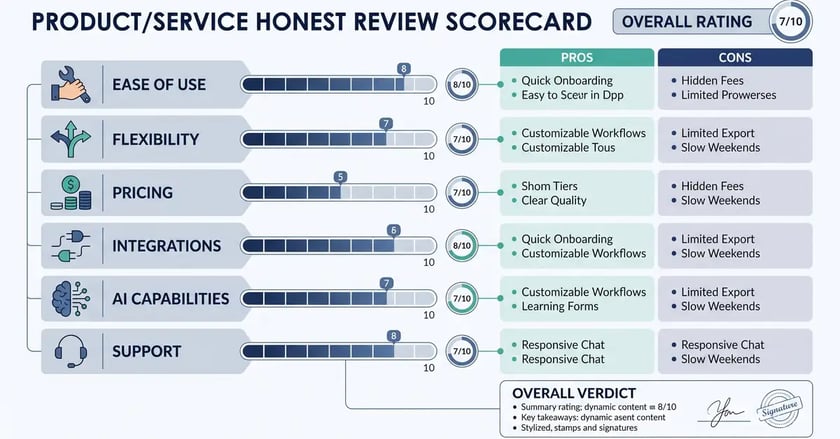
n8n is the platform we would choose again for anything that runs at volume or involves AI agents. Once a workflow has more than a few steps, it costs less per unit of work than per-step billing, and it reaches APIs other tools can't. The price is ownership. You need a person who reads the runs, a rule for when a quiet run is a broken run, and the discipline to read the changelog before upgrading. Teams that have that person get more work per euro out of n8n than out of any per-step tool we have used. Teams that don't should start on Zapier and come back when the bill or the workflow outgrows it.
Want n8n's economics without owning the failure modes?
peppereffect builds and runs n8n automations and AI agents for B2B teams, monitoring included, so a green run means the job got done.
Book a Growth Mapping CallFrequently asked questions about n8n
Is n8n worth it in 2026? Yes, for teams with a technical owner and workflows that run often or have many steps. It bills one execution per run regardless of steps, it can be self-hosted, and its AI agent and MCP nodes are included from the cheapest Cloud plan. For a team with nobody to monitor runs, simpler tools like Zapier are the safer first choice.
What is n8n? n8n is a workflow automation platform where you connect a trigger to a chain of steps on a visual canvas. Steps can be one of 400+ built-in integrations, an HTTP call to any API, or JavaScript and Python code. The name is short for "nodemation". It was founded in Berlin in 2019.
Is n8n free? The Community Edition is free to self-host under the Sustainable Use License, so you pay only for the server and your own maintenance time. n8n Cloud starts at $20 a month on annual billing for 2,500 executions. Paid self-hosted features such as SSO and Git version control need the Business licence at €667 a month.
Is n8n open source? Not in the OSI sense. n8n is "fair-code": the source is public on GitHub and free for internal business, personal or non-commercial use, but the licence restricts offering n8n itself as a commercial service to others without an agreement.
Is n8n better than Zapier? For technical teams running high-volume or AI workflows, usually yes, because n8n bills per run instead of per step and supports self-hosting and custom code. Zapier has 9,000+ app integrations against n8n's 400+ and an easier editor, which makes it better for simple connections set up by non-technical users.
Should I self-host n8n or use n8n Cloud? Start on n8n Cloud unless your data must stay on your own servers. Self-host once you need more executions, runs longer than the plan allows, or SSO and Git, and only if someone can handle updates, backups and security.
Is n8n good for building AI agents? Yes. n8n ships an AI Agent node, an MCP server trigger and MCP client, human approval for tool calls and metric-based evaluations. Combined with self-hosting and custom code, that makes it one of the strongest platforms for agent workflows that act inside your real systems.
Resources
- n8n: Plans and Pricing: current execution-based plans and limits.
- n8n: v2.0 breaking changes: what changed for self-hosted instances.
- n8n: Sustainable Use License: the fair-code terms.
- n8n: SAP's strategic investment: valuation, user and customer figures.
- peppereffect: n8n use cases: real workflows B2B teams automate.
- peppereffect: n8n templates: workflows you can copy.