

What Is HubSpot CMS and Why Does It Matter for B2B?
HubSpot CMS — now officially branded as HubSpot Content Hub — is a content management system built from the ground up to integrate website management with CRM, marketing automation, and sales infrastructure. Unlike traditional CMS platforms that operate as isolated content layers, HubSpot CMS functions as the front door to an entire customer intelligence platform. For B2B companies where every website visitor represents potential pipeline, that integration is not a nice-to-have — it is the architectural difference between a brochure site and an autonomous sales machine.
The numbers validate the shift. As of Q4 2025, HubSpot serves 288,706 customers globally — a 16% year-on-year increase — with subscription revenue reaching $3.06 billion, up 19% from the prior year. More telling: 62% of new Professional and Enterprise customers now adopt multiple hubs at once, and 40% of the existing install base operates four or more products simultaneously, according to HubSpot's Q4 2025 earnings report. This is not a CMS adoption trend — it is a platform consolidation movement.
Meanwhile, WordPress still powers 43.4% of all websites globally and commands 61.3% CMS market share, according to BlogVault's 2025 analysis. But raw market share tells a misleading story. WordPress dominates consumer blogs, publisher sites, and small business presences. HubSpot CMS's installed base skews toward mid-market and enterprise B2B organizations with integrated marketing and sales operations — exactly the segment where website-to-pipeline conversion determines growth trajectory.
What you'll learn in this article:
- Why HubSpot CMS outperforms WordPress for B2B lead generation and conversion infrastructure
- The real three-year total cost of ownership comparison between platforms
- How HubSpot's native CRM integration eliminates the data synchronization bottleneck
- Security, performance, and SEO advantages of a managed platform vs. plugin-dependent architecture
- When HubSpot CMS is not the right choice — and what to use instead
Key Takeaway
HubSpot CMS is not competing with WordPress on flexibility or market share. It is competing on integration depth — connecting every website interaction to CRM records, marketing automation, and sales workflows in a unified platform. For B2B companies where website conversion drives revenue pipeline, that architectural difference compounds over time.

How Does HubSpot CMS Compare to WordPress for B2B Companies?
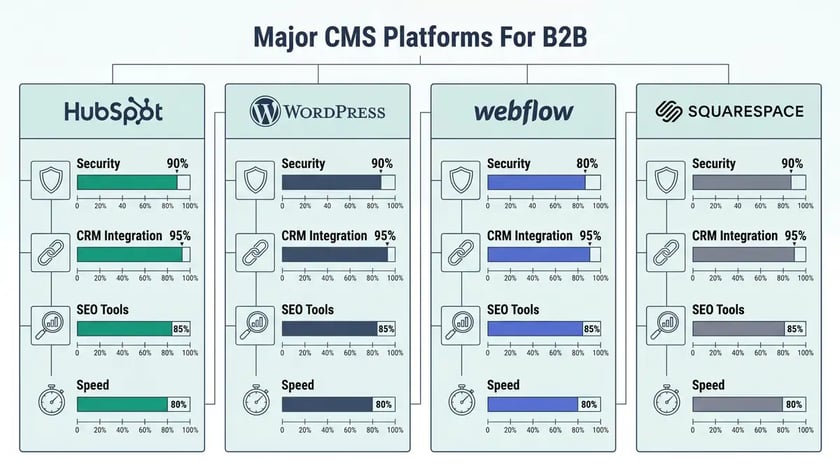
The comparison between HubSpot CMS and WordPress is not about which platform is technically superior — it is about which architecture matches your operational model. WordPress offers greater extensibility through its open-source ecosystem. HubSpot CMS offers tighter integration with the systems that drive B2B revenue. The right choice depends on whether your website functions as a content publication tool or as an active component of your sales automation infrastructure.
WordPress's plugin ecosystem includes over 58,000 plugins, enabling virtually any functionality through third-party extensions. But this extensibility creates operational complexity. B2B organizations must curate plugins, manage compatibility between them, maintain awareness of updates, and coordinate development effort for custom functionality. HubSpot's platform approach consolidates these functions into unified systems: the CRM is natively integrated into the CMS, marketing automation operates within the same interface, and SEO tools embed directly in the content editor rather than requiring separate plugin installation.
| Capability | HubSpot CMS | WordPress |
| CRM Integration | Native — visitor data flows to contact records automatically | Requires third-party plugins (HubSpot plugin, Salesforce connector, etc.) |
| Security Management | Managed — SSL, WAF, CDN, 24/7 monitoring included | Self-managed — requires plugins (Wordfence, Sucuri) + hosting-level config |
| SEO Tools | Built-in topic clusters, recommendations, performance tracking | Plugin-dependent (Yoast, Rank Math) — separate from content workflow |
| Hosting & CDN | Included — global CDN, Brotli compression, auto image optimization | Separate vendor required (WP Engine, Kinsta, Cloudflare) |
| A/B Testing | Native in Professional tier and above | Requires Google Optimize or third-party tools |
| Marketing Automation | Unified with Marketing Hub — workflows, email, lead scoring | Requires separate platform integration (Mailchimp, ActiveCampaign, etc.) |
| Design Flexibility | Theme-based with drag-and-drop modules (limited pixel control) | Extensive — full PHP/CSS/JS access, 10,000+ themes |
| Developer Availability | Smaller talent pool (HubL markup language) | Massive — PHP/JS skills widely available |
Sources: SmithDigital CMS Comparison 2025, Elegant Themes Platform Analysis 2026

The critical difference emerges in how data flows. When a visitor submits a form on a WordPress site using Gravity Forms or Contact Form 7, that data must be routed to a separate CRM through API integration or manual export. When the same visitor submits a form on HubSpot CMS, the data immediately populates a CRM contact record, triggers lead scoring workflows, and enables sales team follow-up — all within one platform. For B2B companies running CRM automation and lead nurturing sequences, this native integration eliminates an entire category of operational friction.
HubSpot has been designated a Leader in the Gartner Magic Quadrant for B2B Marketing Automation for five consecutive years through 2025, validating the platform's capabilities among enterprise-grade buyers, according to HubSpot's official announcement.
What Does the Three-Year Total Cost of Ownership Actually Look Like?
Pricing comparisons between HubSpot CMS and WordPress are misleading when they focus on subscription cost alone. The accurate comparison requires aggregating hosting, security, plugins, maintenance, and ongoing development across a realistic operational cycle. The Avidly Agency three-year TCO analysis provides the most rigorous like-for-like comparison available.
| Cost Category | HubSpot CMS (3 Years) | WordPress (3 Years) |
| Platform Subscription | $16,200 (Professional @ $450/mo) | $0 (open source) |
| Hosting | Included | $1,800–$10,800 (managed hosting) |
| Security (SSL, WAF, CDN) | Included | $600–$2,400 (Cloudflare + Wordfence) |
| Plugin Licenses | Included | $0–$2,400 (Yoast, Gravity Forms, WP Rocket, etc.) |
| Maintenance & Updates | Included | $1,800–$18,000 (backups, plugin updates, patches) |
| Ongoing Development | $0–$6,000 | $0–$30,000 |
| Total 3-Year Cost | $16,200–$22,200 | $4,200–$63,600 |
Source: Avidly Agency — HubSpot CMS vs WordPress: Total Cost of Ownership Over 3 Years (2026)
The variance in WordPress costs is the critical insight. A minimal WordPress implementation — shared hosting, free plugins, quarterly updates — can operate for under $5,000 over three years. But a B2B-grade WordPress deployment with managed hosting, security infrastructure, premium plugins, and regular maintenance converges on $50,000–$60,000, exceeding HubSpot's fixed subscription cost. HubSpot's pricing model exchanges variable, unpredictable costs for a single predictable invoice. For B2B finance teams budgeting platform costs across fiscal years, that predictability has tangible value.
Key Takeaway
WordPress is cheaper at the low end — and more expensive at the B2B-grade end. When you account for managed hosting, security plugins, premium extensions, and maintenance retainers, a production WordPress deployment costs $50,000+ over three years. HubSpot CMS Professional consolidates all of this for approximately $16,200 over the same period.
Why Does Security Architecture Matter More Than Most B2B Teams Realize?
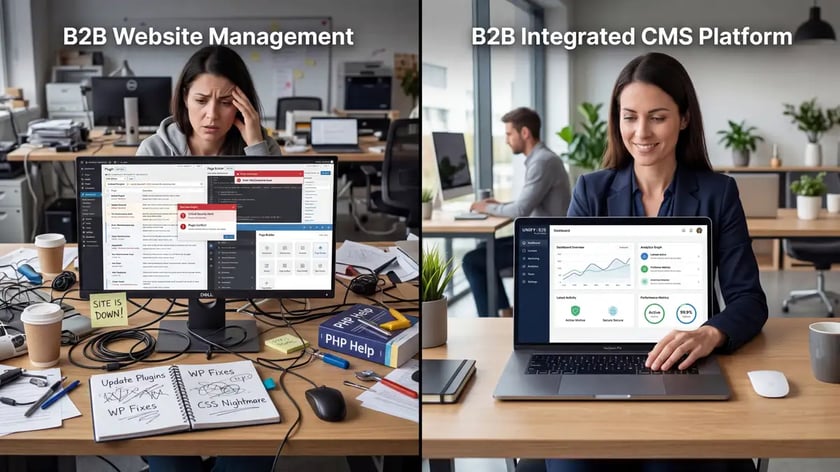
WordPress's security profile represents a material operational concern for B2B organizations managing sensitive customer data. The Wordfence 2024 Annual WordPress Security Report documented a vulnerability landscape that demands ongoing vigilance: vulnerability disclosures increased 68% from 2023, with 96% of all WordPress-related vulnerabilities originating from plugins rather than WordPress Core itself. WordPress Core experienced only 5 vulnerabilities in 2024 — the plugin ecosystem introduced thousands.
Cross-Site Scripting (XSS) attacks dominated the threat landscape. In 2024, Wordfence blocked over 9 billion XSS exploit attempts across its protected network. For B2B companies operating under GDPR, CCPA, or industry-specific data protection requirements, this plugin vulnerability burden translates directly into compliance complexity: each plugin represents a potential data exposure vector that must be monitored, patched, and documented.
HubSpot's managed platform approach eliminates this entire vulnerability category. SSL encryption, Web Application Firewall protection, CDN infrastructure, and 24/7 threat monitoring are integrated platform features — not third-party bolt-ons. According to HubSpot's developer documentation, security updates, threat monitoring, and infrastructure hardening are HubSpot's operational responsibility, not the customer's. For scaling B2B companies, this shifts security from a management liability to a vendor guarantee.
Avoid This Mistake
Do not evaluate CMS security based on the core platform alone. WordPress Core is robust — but the average B2B WordPress site runs 20-40 plugins, each representing an independent vulnerability surface. Evaluating WordPress security means evaluating your entire plugin stack, not just the core software.
How Does HubSpot CMS Drive B2B Lead Generation and Conversion?
The defining advantage of HubSpot CMS for B2B is not content management — it is lead capture integration. Landing page builders, forms, calls-to-action, and pop-ups operate with native CRM connectivity. When a visitor completes a form, that data immediately populates a contact record, triggers marketing automation workflows, updates lead scores, and notifies sales teams — all without requiring API configuration or third-party data synchronization.

Case study evidence validates the conversion impact. Rentokil Initial, a global services company, implemented HubSpot's Marketing Hub and achieved a 76% increase in leads with a 671% ROI, according to HubSpot's published case study. The success prompted Rentokil to expand HubSpot across more than 100 teams. This pattern — initial deployment, measurable lift, platform expansion — reflects HubSpot's broader growth trajectory, where 62% of new enterprise customers adopt multiple hubs from day one.
Smart content rules add another layer of conversion intelligence. HubSpot CMS can display different content variations based on visitor attributes: preferred language, lifecycle stage, contact list membership, or query parameters. A first-time visitor sees awareness-stage messaging; a returning contact in evaluation stage sees case studies and pricing information; a customer sees expansion opportunities. This segmentation happens automatically through HubSpot's cookie-based tracking — no manual content management required.
HubSpot's adaptive marketing capabilities also respond to real-time signals: location, device, referral source, time of day, and recent activity. Research from HubSpot's 2025 State of Marketing survey indicates that 49% of marketers prioritize AI-powered personalized content, reflecting the growing importance of contextual relevance in B2B conversion, as detailed in HubSpot's adaptive marketing guide.
Ready to architect your B2B website as a conversion machine? Explore our Marketing Infrastructure services — built on HubSpot CMS.
See Marketing InfrastructureWhat SEO and AEO Capabilities Are Built Into HubSpot CMS?
HubSpot CMS embeds SEO tooling directly into the content creation workflow — a fundamental architectural difference from WordPress, where SEO depends on plugin installation. The topic cluster functionality enables marketers to define core topics, organize supporting content around subtopic keywords, and build the internal linking architecture that search engines reward. This pillar-cluster model is the same methodology we deploy across all peppereffect content strategy engagements.
Topic clusters in HubSpot include built-in research capabilities: monthly search volume, ranking difficulty metrics, and related topic recommendations surface directly within the SEO tool interface. Marketers research, plan, create, and optimize content within a single workflow rather than toggling between separate keyword research tools, content management systems, and SEO plugins. For B2B teams operating with lean content resources, this workflow consolidation delivers measurable productivity gains.
Beyond traditional search optimization, HubSpot CMS supports emerging Answer Engine Optimization (AEO) through schema-ready content publishing, entity optimization for knowledge graph integration, and answer-focused content structures. Recent research indicates that 58% of marketers report that visitors referred by AI-powered search tools convert at higher rates than traditional organic traffic, according to MarTech's analysis of AI search visibility. For B2B companies implementing generative engine optimization, HubSpot CMS provides the content infrastructure to support these strategies natively.
What Are the Current HubSpot CMS Pricing Tiers?
HubSpot Content Hub operates on four pricing tiers, each designed for distinct organizational sizes and requirements, according to HubSpot's official pricing guide:
Content Hub Free — $0/month
Includes 2 seats, basic website hosting, CRM integration, and content publishing. Suitable for testing the platform, but includes HubSpot branding and limited AI functionality.
Content Hub Starter — $15/month (annual)
Adds custom domain support, HubSpot branding removal, basic automation, and limited personalization. Entry point for small businesses scaling beyond basic website needs.
Content Hub Professional — $450/month (annual)
Includes 3 Core Seats, AI content tools, advanced SEO optimization, A/B testing, adaptive content, and analytics. The primary tier for scaling B2B organizations. Additional seats at $45/month each.
Content Hub Enterprise — $1,500/month
Includes 5 Core Seats, multi-team collaboration, development sandboxes, advanced governance, and global content operations support. For large organizations managing multiple brands or geographic markets.
For B2B organizations implementing HubSpot's bundled platform approach, Content Hub costs typically combine with Marketing Hub pricing (Professional starts at $890/month). HubSpot's 2024 pricing restructuring introduced Core Seats as a platform-level access mechanism, reducing entry costs while maintaining expansion revenue. The average subscription revenue per customer reached $11,683 in Q4 2025 — reflecting the multi-hub adoption pattern where CMS is one component of a broader platform investment.
When Is HubSpot CMS Not the Right Choice?
HubSpot CMS is not universally superior — it is specifically superior for B2B organizations with integrated go-to-market operations. Choosing the wrong CMS wastes budget. Here are the scenarios where alternatives outperform HubSpot:
Static informational websites. If your website serves primarily as a digital brochure — minimal content updates, no lead generation, no CRM requirements — HubSpot CMS's subscription cost represents overinvestment. WordPress on basic managed hosting delivers equivalent value at lower cost.
Pixel-perfect design control. HubSpot CMS operates through themes and drag-and-drop modules rather than pixel-level design control. Organizations requiring highly customized visual experiences, complex animations, or designer-driven creative should evaluate Webflow, which offers precise CSS-level control through visual tools. For creative agencies and design-forward brands, Webflow's flexibility may outweigh HubSpot's operational convenience.
Maximum technical extensibility. WordPress's open-source architecture and massive developer ecosystem provide extensibility that HubSpot's managed platform cannot match. Organizations requiring highly specialized functionality, custom database architectures, or integration with niche systems may find WordPress's PHP/JavaScript flexibility more suitable than HubSpot's HubL markup language.
Budget-constrained startups. A pre-revenue startup running a five-page website with quarterly content updates is a poor fit for HubSpot CMS Professional at $450/month. Start with WordPress or even HubSpot's Free tier, and migrate to HubSpot CMS Professional when your lead generation automation requirements justify the investment.
Key Takeaway
The question is not whether HubSpot CMS is technically superior to WordPress — it is not, on pure extensibility. The question is whether unified B2B customer platform architecture — combining website management, CRM, marketing automation, sales tracking, and AI-driven operations — aligns with your growth strategy. If your website drives pipeline, HubSpot CMS delivers compounding returns. If your website is a brochure, save your money.
Frequently Asked Questions
What is HubSpot CMS?
HubSpot CMS — now branded as HubSpot Content Hub — is a content management system that integrates natively with HubSpot's CRM, marketing automation, and sales tools. Unlike standalone CMS platforms, it connects every website interaction to customer records, enabling B2B companies to track content performance from first visit through closed deal within a single platform. It includes built-in hosting, security, CDN, SEO tools, and AI content creation features.
Is HubSpot a CMS or a CRM?
HubSpot is both — and that is the point. The platform includes separate products (Content Hub, Marketing Hub, Sales Hub, Service Hub, Operations Hub) that share a unified CRM database. When you use HubSpot as your CMS, every visitor interaction automatically enriches CRM contact records. This unified architecture is what distinguishes HubSpot from traditional CMS platforms where the website operates independently from customer data systems.
How does HubSpot CMS compare to WordPress for B2B?
WordPress offers greater design flexibility and technical extensibility through its open-source ecosystem and 58,000+ plugins. HubSpot CMS offers tighter integration with B2B revenue operations — native CRM connectivity, built-in marketing automation, and managed security. For B2B companies where lead generation and conversion drive growth, HubSpot CMS eliminates the integration complexity that WordPress requires. For content-focused sites without lead generation needs, WordPress remains more cost-effective.
How much does HubSpot CMS cost?
HubSpot Content Hub offers four tiers: Free ($0), Starter ($15/month annual), Professional ($450/month annual), and Enterprise ($1,500/month). The Professional tier is the primary offering for scaling B2B organizations, including AI content tools, advanced SEO, A/B testing, and adaptive personalization. When bundled with Marketing Hub, typical B2B implementations range from $1,340 to $5,100+ monthly depending on tier and seat count.
Is HubSpot CMS free?
Yes — HubSpot offers a free Content Hub tier that includes basic website hosting, CRM integration, a single blog, and drag-and-drop page editing. However, the free tier includes HubSpot branding, limited AI functionality, and lacks advanced SEO tools, personalization, and A/B testing capabilities. Most B2B organizations require the Professional tier ($450/month) for production-grade website operations.
Is HubSpot CMS good for SEO?
HubSpot CMS includes native SEO tools that embed directly in the content editor: topic cluster management, on-page optimization recommendations, content performance tracking, and structured data support. These capabilities match or exceed what WordPress offers through plugins like Yoast, with the advantage of tighter integration. For B2B companies implementing generative engine optimization (GEO) alongside traditional SEO, HubSpot's content infrastructure supports both strategies within a unified workflow.
Can I migrate from WordPress to HubSpot CMS?
Yes, but migration requires planning. HubSpot uses its proprietary HubL markup language for templates and modules, so WordPress themes cannot transfer directly. Content (pages, blog posts, images) can be migrated, but templates must be rebuilt in HubSpot's framework. Migration costs typically range from $3,000 to $10,000 depending on site complexity. The investment is justified when the transition connects your website to an integrated CRM automation and marketing infrastructure.
Build Your B2B Website on the Platform That Drives Pipeline
peppereffect architects HubSpot CMS deployments that integrate lead generation, content strategy, and CRM automation into a unified growth machine. Every website we build connects directly to revenue operations.
Book Your Growth Mapping CallExplore HubSpot Content Hub Strategies →
Resources
- HubSpot Q4 and Full Year 2025 Earnings Report — BusinessWire
- HubSpot Named a Leader in the 2025 Gartner Magic Quadrant for B2B Marketing Automation
- Wordfence 2024 Annual WordPress Security Report
- Avidly Agency — HubSpot CMS vs WordPress: Total Cost of Ownership Over 3 Years
- SmithDigital — HubSpot vs WordPress CMS: Features, SEO, Security & AI
- HubSpot Content Hub Pricing Guide — Official
- HubSpot Developer Documentation — CDN, Security, and Performance Overview
- Rentokil Initial HubSpot Case Study — 671% Marketing ROI